Rewarded ads are the one ad format the player asks for: they choose to watch, and they get something for it. Done badly, they turn into a chore, a cheat target or a privacy problem. This page covers what fair Godot rewarded ads look like, why the reward should be confirmed on a server instead of trusted from the game, and how PowerUp handles the rules around them while your game shows the ad with the ad plugin you already use.
What a fair rewarded ad looks like
These hold whatever tools you use:
- The player chooses. A rewarded ad starts from a button the player taps, never on its own. AdMob's rewarded ads policy (as of October 2026) asks for a clear opt-in and says skipping an ad must not get in the way of normal play.
- The reward is named first. "Watch an ad: +20 coins" beats "Watch an ad?". The same AdMob policy asks for a clear disclosure of the reward before each rewarded ad.
- It's paced. A cooldown and a daily cap keep ads a bonus rather than a job, and stop a bored player from farming your economy.
- The reward is confirmed on a server, once. A modified build can claim "the ad finished" a thousand times. The reward should land only when something you trust confirms it, and only once per ad.
- Younger players get different ads, or none. Kids shouldn't see personalized ads, and the stores have extra rules for games aimed at them.
How it works with PowerUp
PowerUp doesn't show ads. Your game does that with an ad plugin. For AdMob on Android and iOS, Poing Studios' plugin and godot-sdk-integrations/godot-admob are both open source under the MIT license and maintained (as of October 2026). PowerUp decides whether an ad may be offered, and hands out the reward.
A rewarded ad is a short session:
- Ask.
create_ad_session()runs every check the reward will need (the player's age, the cooldown, the daily cap, the match it belongs to) before the ad plays, so nobody watches an ad for nothing. - Show. Your ad plugin plays the ad. With AdMob, you pass the session along so Google's signed callback can name it.
- Confirm.
complete_ad_session()reports what happened. With AdMob's server-side verification, the reward lands when Google's signed callback reaches PowerUp. Retries are safe: a session pays out once.
func _on_watch_for_coins() -> void:
    var ad: Dictionary = await PowerUp.create_ad_session("free_coins")
    if not ad.ok:
        return   # cooldown, daily cap or age gate; ad.code says which
    # Your own function: shows the ad with your plugin, passing ad.session.ssv to AdMob,
    # and returns whether the player watched to the end.
    var earned: bool = await _show_rewarded_ad(ad.session)
    var done: Dictionary = await PowerUp.complete_ad_session(ad.session.sessionId, "admob", earned)
    # done.session.status is "granted", or "pending" until Google's callback arrives
The Godot rewarded ads guide has the full GDScript, including the wait for the verified callback and H5 Games Ads in a web export.
What an ad can pay
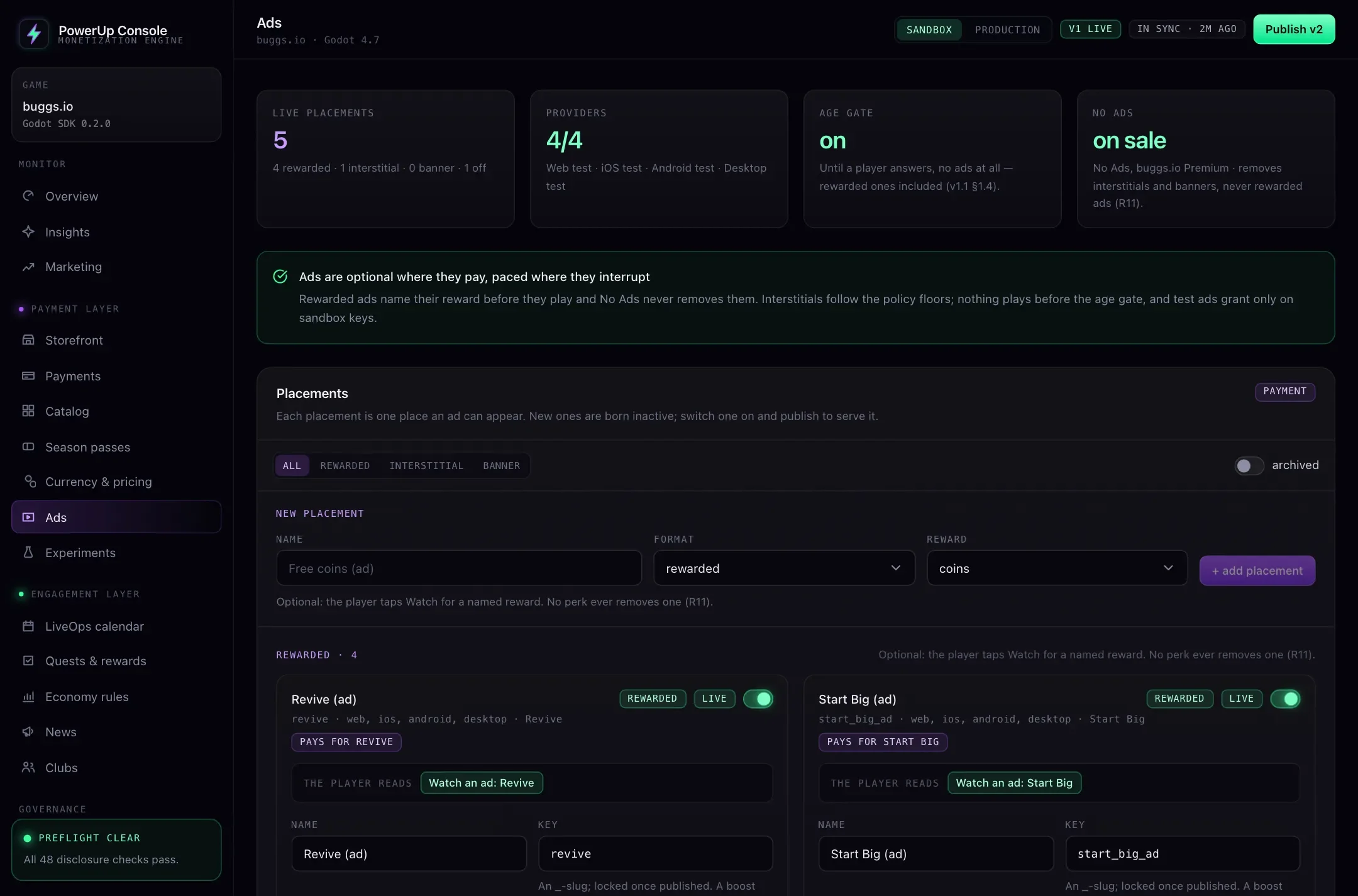
A rewarded placement pays one thing, and the SDK names it on the Watch button before the ad:
- Coins, straight into the player's coin wallet.
- Double a match's coins, once per online match, within 30 minutes of its report.
- A boost, such as a revive in the current match, or a head start that the next match spends within the hour. Boosts stay out of ranked matches by default.
Limits you set
Each placement has a cooldown, and can have a daily cap (reset at midnight in your game's time zone), a cap per match, a set of platforms, and a start and end. They're config, so you change them in the console and publish, with no new build (remote config covers how that works). Once published, switching a placement off also stops rewards for sessions already open.
AdMob and H5 Games Ads
PowerUp works with one ad network per platform:
| Platform | Network | How a reward is confirmed |
|---|---|---|
| Android, iOS | AdMob | Google's signed server-side callback, required for rewards in production |
| Web | H5 Games Ads | The game's report, inside a minimum watch time and a daily cap |
| Desktop | None | No ads |
AdMob's server-side verification has Google call a server with a signed message when a player earns a reward. PowerUp receives it, checks Google's signature, the transaction id, the session, the player and the ad unit, and only then grants. Publishing a production game fails while an AdMob rewarded placement could pay without it.
H5 Games Ads is Google's ad product for web games, and as of October 2026 you apply for it. It has no server-side callback, so PowerUp grants on the game's report but keeps the limits on its side: one open session per player, no reward sooner than a minimum time after the session opened (5 seconds by default), and a daily cap per player across every placement (20 by default). On a production game the publish checks flag this as a warning, so it's a choice you make knowingly.
There's no mediation: PowerUp doesn't spread requests across several networks to raise fill. If fill matters more to you than having the rules in one place, a mediation platform is built for that: AppLovin MAX, for one, publishes its own Godot plugin for Android and iOS (as of October 2026). PowerUp doesn't connect to a mediation platform today.
A fair No Ads
No Ads is a popular purchase, and an easy one to get wrong. In PowerUp:
- No Ads turns off interstitials and banners. It never turns off rewarded ads: those are the player's choice, and taking them away would take rewards from the people who paid you.
- No Ads is only sold on a platform where there's an interstitial or banner for it to remove, in a format your build actually shows. Publishing fails if it would remove nothing.
- It can be an item of its own or a perk of a subscription, sold like any other in-app purchase.
If you run interstitials, the publish checks hold them to a floor: at least one match before the first, at
least 60 seconds apart, and no more than 10 a session. PowerUpDisclosure.interstitial_due() checks your
numbers in the game before you show one, and says no while No Ads is active or the player's age is unknown.
Ads by age, by default
Ads wait for a neutral age question, and publishing fails while a placement is live with the age gate off. Until a player answers, they see no ads at all, rewarded ones included. After that, PowerUp tells your ad plugin what each player may see:
| Age band | What PowerUp sends |
|---|---|
| Adult | Personalized ads allowed, up to the content rating you set |
| Teen | Not personalized, under the age of consent, rated T at most |
| Child | Child-directed, not personalized, rated G |
Teens and kids can't watch ads for boosts unless you allow it. For games that include children, Google Play's Families policies require ads shown to them to come only from Families self-certified ads SDKs, and ask mixed-audience apps for a neutral age screen. Guideline 1.3 of Apple's App Store Review Guidelines says Kids Category apps shouldn't include third-party advertising, with narrow room for contextual ads from providers that review creatives by hand (both as of October 2026). The page on app store age rules goes further.
PowerUp checks your setup against the rules built into it. That isn't legal advice, and your game's compliance is still up to you.
Checked before you publish
Besides the checks above, publishing confirms that test ads stay in the sandbox, that each platform's network is one your build shows, and that every live placement has its ad ids, with none of Google's test ids in production. The store rules section covers the rest of the checks, and pricing has the plans.