This page takes the PowerUp Godot monetization SDK from a folder on disk to a store on screen. You'll install the addon, initialize it with your key, register the player and keep their token, ask the age question, and fetch your first storefront. The code is GDScript for Godot 4 and matches SDK 0.2.0.
Before you start
You need:
- Godot 4. The SDK was built and tested on 4.7.
- The
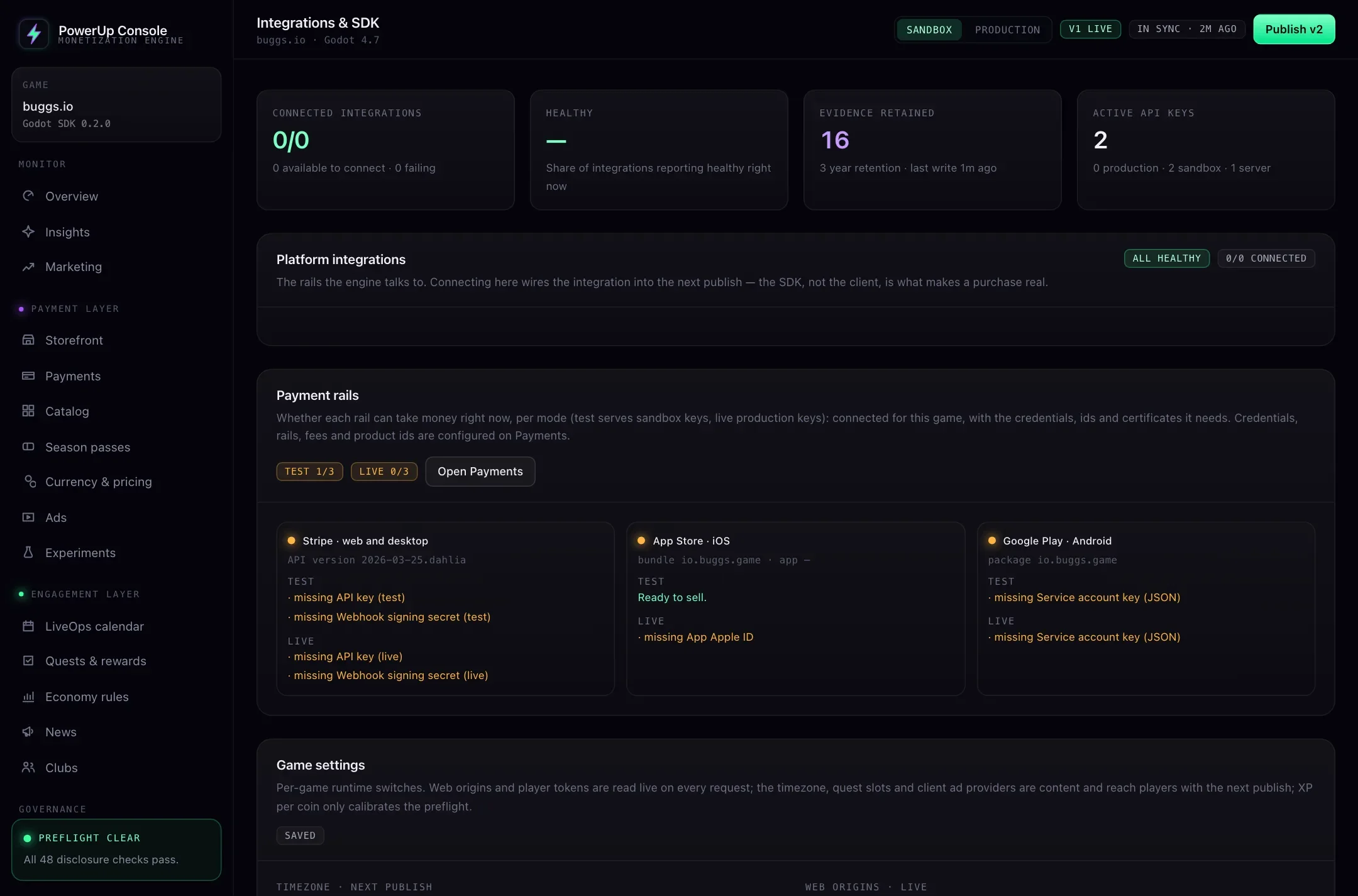
addons/powerup/folder. It comes with early access: there's no public download. - A sandbox publishable key and your API base URL. Both are in the console under Integrations → SDK.
- A stable id for each install of your game. If you already have one, use it. If not, the code below makes one.
Install the addon
- Copy
addons/powerup/into your project'saddons/folder. - Open Project → Project Settings → Plugins and enable PowerUp Monetization.
Enabling the plugin registers the PowerUp autoload, and that's all it does. It doesn't replace a node or
override a control. To add the autoload by hand instead, put this under [autoload] in project.godot:
PowerUp="*res://addons/powerup/powerup.gd"
The addon's demo/ folder holds recorded API answers for testing without a network (see the last section).
Ship it or leave it out.
Keys and environments
PowerUp has two kinds of key, and each comes in a sandbox and a production version.
| Key | Where it lives | What it can reach |
|---|---|---|
| Publishable | Inside your game build | The player routes of one game. It isn't a secret. |
| Server | Your game server only | The game server's routes, such as match reports and match ticket checks. It never ships in a build, and the SDK never needs it. |
The key decides the environment. With a sandbox key:
PowerUp.purchase(sku_key)makes a test purchase with no payment, so you can try your store before any payment provider is connected.- Stripe checkouts use your Stripe test key, and store test purchases (TestFlight, Google Play license testers) are accepted.
- The
draftConfigoption serves your unpublished draft instead of the published version. - The
testad provider hands out rewards.
With a production key, players only ever get the version you published, and real money moves only through the three checkouts.
Players are kept apart too. A player registered with a sandbox key can't be used with a production key, or
the other way round: the API answers wrong_environment. Keep sandbox and production saves separate, or
clear the saved token when you switch keys.
Initialize PowerUp
Call initialize() once, early. The autoload is in the scene tree by the time your first scene's _ready()
runs, which is when the SDK can make requests.
const API_URL := "https://…"   # your API base URL, from Integrations → SDK

func _ready() -> void:
    PowerUp.initialize("YOUR_PUBLISHABLE_KEY", client_id, {
        "baseUrl": API_URL,         # required: the SDK has no default host
        "client": "mygame/1.0.0",   # optional: your build's name and version
    })
initialize(key, player_id, options) takes your publishable key, the install's stable id, and these options:
| Option | What it does |
|---|---|
baseUrl | Required. Your API base URL. |
client | Your build's name and version, such as mygame/1.0.0, sent with every request. |
appVersion | Your build's version. It defaults to the project's application/config/version. PowerUp matches each item's version rules against it, so a build only sees and sells items it can show. With no version, it only gets items every version has. |
platform | web, ios, android or desktop. Detected for you; a web export in a phone browser is web. |
playerToken | A saved token. The same as calling set_player_token(). |
draftConfig | true to preview the unpublished draft. Sandbox keys only. |
jurisdiction | Kept for older games. The server ignores it and goes by the player's own record, so leave it out. |
verbose | true logs the initialize line and every failed call as a warning. |
Register the player and keep the token
PowerUp knows a player by a token it hands out once. This is the part that's easy to get wrong, so here's the contract:
- The client id is your stable id for this install. PowerUp keeps it as the player's external id. On iOS and Android it's also the player's identity with the store, so a new client id is a new account to the App Store and Google Play as well.
register_player(client_id, display_name)asks for a token. A new one comes back once, through theplayer_token_issuedsignal.- Save the token next to the client id, and keep both out of anything like "erase save data".
- On the next launch, pass the saved token to
set_player_token(). Callingregister_player()with a token set confirms it instead of making a new one.
# boot.gd: your first scene, or an autoload of your own listed after PowerUp
const API_URL := "https://…"                          # Integrations → SDK
const IDENTITY_PATH := "user://powerup_identity.cfg"  # never wiped by "erase save"

var _identity := ConfigFile.new()

func _ready() -> void:
    _identity.load(IDENTITY_PATH)
    var client_id: String = _identity.get_value("player", "client_id", "")
    if client_id == "":
        client_id = Crypto.new().generate_random_bytes(16).hex_encode()   # 32 hex characters
        _remember("client_id", client_id)

    PowerUp.initialize("YOUR_PUBLISHABLE_KEY", client_id, {"baseUrl": API_URL, "client": "mygame/1.0.0"})
    PowerUp.player_token_issued.connect(func(token: String) -> void: _remember("token", token))
    # A transfer or recovery code moved this install onto another account: keep its id.
    PowerUp.player_adopted.connect(func(external_id: String, _token: String) -> void: _remember("client_id", external_id))

    var token: String = _identity.get_value("player", "token", "")
    if token != "":
        PowerUp.set_player_token(token)
    # New install: 201 and a token. Saved token: 200, confirmed.
    var reg: Dictionary = await PowerUp.register_player(client_id, "Player")
    if not reg.ok:
        match reg.code:
            "player_exists", "player_token_invalid":
                _remember("token", "")
                _show_recovery()   # a recovery code, a transfer code, or Restore Purchases
            _:
                push_warning("PowerUp: %s (%s)" % [reg.error, reg.code])
        return

    await _check_age()
    await _load_store()

func _remember(key: String, value: String) -> void:
    _identity.set_value("player", key, value)
    _identity.save(IDENTITY_PATH)
If the token is lost, registering the same client id again answers player_exists. That's on purpose:
knowing someone's client id must never be enough to take their account. player_token_invalid means the
token was revoked (support cut it off, or the account was merged or deleted); the SDK drops it and you
should forget your copy too. Either way, the account comes back with a recovery code the player saved or a
transfer code from another device. On a phone there's one more way: start a new account (a new client id)
and use Restore Purchases, which moves store purchases to it but never coins. There's no email recovery.
Players and accounts covers all three.
Ask the age question
Purchases and ads wait on a neutral age question. Until it's answered, buy buttons read "Confirm your birth
year to buy" and no ads are shown. fetch_me() says whether to ask:
func _check_age() -> void:
    var me: Dictionary = await PowerUp.fetch_me()
    if me.ok and me.me.player.ageGateRequired:
        _show_age_prompt()   # at a calm moment; then: await PowerUp.set_birth_year(year)
A player answers once (after that, only support can change it), and PowerUp keeps the age band the year implies, not the year itself. Ask in the lobby or when the player first taps Buy or Watch, not on a death screen.
Load your first storefront
func _load_store() -> void:
    var r: Dictionary = await PowerUp.fetch_storefront()
    if not r.ok:
        %Status.text = "The store isn't available right now."
        return
    for offer: Dictionary in r.storefront.offers:
        var button := PowerUpOfferButton.new()
        button.configure(offer)   # it disables itself for anything that can't be sold
        button.offer_pressed.connect(_on_offer_pressed)
        %OfferGrid.add_child(button)

func _on_offer_pressed(offer: Dictionary) -> void:
    # Sandbox keys only. Real money goes through the checkouts on the payments page.
    var bought: Dictionary = await PowerUp.purchase(offer.key)
    if bought.ok:
        %Status.text = "Bought %s" % offer.name
    else:
        %Status.text = PowerUpDisclosure.blocking_text(bought.code)   # words for players
        push_warning(bought.error)                                     # words for you
offers lists what this player can buy on this platform right now, with prices and terms already worked
out. If it's empty, you probably haven't published yet: players only see published versions. Publish from
the console, or pass "draftConfig": true with a sandbox key to see your draft.
Storefront and offers explains every field and the display rules, and
payments replaces that sandbox purchase() with real checkouts.
Read results and signals
Every call to the server returns a Dictionary. Await it and check ok:
| Field | When | What it holds |
|---|---|---|
ok | Always | true or false |
error | Failures | A message written for you, not for players |
code | Failures | What to branch on, such as age_gate_required or transport_error |
status | The server answered a failure | The HTTP status |
details | Some failures | Specifics, such as balance and needed for insufficient_coins |
retry_after | rate_limited | Seconds to wait |
Signals cover the same ground for UI that listens instead of awaiting: wallet_changed after coins move,
home_loaded, badges_changed, checkout_completed, receipt_verified, and request_failed for any call
that failed. The SDK reference lists all 16.
Two habits help from day one:
- Count down on the server's clock. Every answer carries the server's time, and the SDK keeps it against
the monotonic clock.
PowerUp.seconds_until(ends_at)counts to an end time correctly even when the device clock is wrong, and returns -1 when there's no end time, so you draw no countdown. - Retry with the same key. Purchases and claims take an optional idempotency key as their last argument.
Make one per player action with
PowerUp.new_idempotency_key()and pass the same one if you retry that action: the server replays its first answer instead of acting twice.
Test without a network
set_transport(callable) sends every request to your function instead of over HTTP. With the recorded
answers in addons/powerup/demo/, a store screen runs in the editor or in a headless test with no server:
# offline_store.gd: answer the SDK from the recorded demo answers
const DEMO := "res://addons/powerup/demo/"
var _answers := {}

func _ready() -> void:
    for file in ["register", "me", "home", "storefront", "catalog"]:
        var recorded: Dictionary = JSON.parse_string(FileAccess.get_file_as_string(DEMO + file + ".json"))
        _answers[recorded.route] = recorded
    PowerUp.set_transport(_answer)
    PowerUp.initialize("YOUR_PUBLISHABLE_KEY", "offline-player", {"baseUrl": "http://127.0.0.1"})

func _answer(request: Dictionary) -> Dictionary:
    var route := "%s %s" % [request.method, str(request.path).get_slice("?", 0)]
    if _answers.has(route):
        return {"status": int(_answers[route].status), "body": _answers[route].body}
    return {"status": 404, "body": {"error": {"code": "not_found", "message": "nothing recorded for " + route}}}
Each recorded file names its route, such as GET /v1/storefront, with the status and body the API gave.
The transport gets method, path, url, headers, body and body_text, and returns status and
body, or error for a failure that never reached a server. It can be a coroutine. Pass Callable() to go
back to HTTP.
Before you ship
- Swap the sandbox key for a production key, and keep production saves apart from sandbox ones.
- Publish your config. Players only see published versions, and publishing runs 48 automatic checks first (49 with Stripe Managed Payments).
- Connect your payment providers and follow payments for each platform.
- Give players a way back to their account: after the first purchase, offer to save a recovery code.