These are the Godot IAP SDK docs for taking real money with PowerUp. A Godot game pays through one of three checkouts: Stripe on web and desktop, the App Store on iOS, and Google Play on Android. Each one is checked on PowerUp's servers before anything reaches the player's wallet, and every purchase lands in the same wallet and inventory whichever way the player paid. This page covers the three flows, restores, refunds and the signals that tell your UI what happened.
Which checkout an offer uses
Each offer in the storefront names its checkout in offer.rail, worked out from the
platform the SDK detected:
| Rail | Platforms | Start with | Settle with |
|---|---|---|---|
stripe | Web, desktop | start_checkout() | Polling checkout_status() |
apple | iOS | create_purchase_intent(), then StoreKit | submit_receipt("apple", …) |
google | Android | create_purchase_intent(), then Play Billing | submit_receipt("google", …) |
offer.productId, and offer.basePlanId for a Play subscription, is the id to sell under. Starting the
wrong flow for the platform answers not_available, with details.reason set to rail_unavailable.
func _on_offer_pressed(offer: Dictionary) -> void:
    match str(offer.rail):
        "stripe":
            _open_checkout_sheet(offer)
        "apple", "google":
            _buy_in_store(offer)
PowerUp.purchase(sku_key) isn't one of the three. It settles a test purchase with no payment and only works
with sandbox keys. On a production key it answers sandbox_only.
The checks before anyone pays
start_checkout() and create_purchase_intent() both run every purchase check before the player sees a
payment screen, so nobody pays for something they then can't have:
| Code | Why |
|---|---|
age_gate_required | The player hasn't answered the age question |
parental_consent_required | A child whose parent hasn't approved purchases |
spend_limit_reached | A child or teen at their monthly spending limit |
not_available | Not on sale now, not on this platform, or the wrong checkout for it |
purchase_limit_reached | The per-player limit for this offer |
already_owned | A running subscription, an item they hold, or a pass whose premium track they have |
provider_not_configured | That checkout isn't connected for this game (for Stripe, in this key's mode: test or live) |
PowerUpDisclosure.blocking_text(code) has words for players for the age, consent, limit and availability
codes.
Stripe on web and desktop
Stripe Checkout opens in a new browser tab on web and in the system browser on desktop. The order of calls matters, because a browser only lets a page open a tab in response to the player's click, and that permission expires after a short timeout (transient activation on MDN, as of October 2026). A network wait between the click and the tab can use it up.
- When the product sheet opens, call
start_checkout(offer.key). Keep the Pay button disabled until it answers with acheckout:checkoutId,url,expiresAt,mode,amountUsdandreused. - In the Pay button's
pressedhandler, callopen_checkout(checkout)straight away, with noawaitbefore it. Godot's single-threaded web export handles input inside the browser's own event, so the click counts. - Poll
checkout_status(checkoutId)until it's no longeropen.checkout_poll_delay(attempt)gives the waits: 3, 3, 5 and 8 seconds, then every 10. Check at once, too, when the game gets focus back.
completed fires checkout_completed once, and wallet_changed. expired or failed means it's time to
offer Try again, which starts a new checkout. You don't need a callback: Stripe's webhook settles the
payment, and when you poll a session that's been open for more than 5 seconds, PowerUp also asks Stripe about
it, so polling alone finishes the purchase. If start_checkout() answers checkout_failed, Stripe didn't
create the session: offer Try again.
var _offer: Dictionary = {}
var _checkout: Dictionary = {}
var _watching := ""   # the checkout id being polled, or ""

func _open_checkout_sheet(offer: Dictionary) -> void:
    _offer = offer
    %Sheet.show()
    %Pay.disabled = true
    %Pay.text = "Preparing…"
    var r: Dictionary = await PowerUp.start_checkout(offer.key)
    if not r.ok:
        if r.code == "checkout_failed":
            %SheetStatus.text = "The checkout didn't start. Try again."
        else:
            %SheetStatus.text = PowerUpDisclosure.blocking_text(r.code)
        return
    _checkout = r.checkout
    %Pay.text = "Pay " + PowerUpDisclosure.display_price(offer)
    %Pay.disabled = false

func _on_pay_pressed() -> void:
    # Nothing awaited before this line, or the browser blocks the tab.
    if PowerUp.open_checkout(_checkout):
        _watch(_checkout.checkoutId)
    else:
        %ContinueHere.show()   # a blocked popup: see below

func _watch(id: String) -> void:
    _watching = id
    var attempt := 0
    while _watching == id:
        await get_tree().create_timer(PowerUp.checkout_poll_delay(attempt)).timeout
        attempt += 1
        await _check(id)

func _check(id: String) -> void:
    var r: Dictionary = await PowerUp.checkout_status(id)
    if not r.ok or _watching != id:
        return
    %SheetStatus.text = PowerUpDisclosure.checkout_line(r.checkout.status)
    if r.checkout.status != "open":
        _watching = ""   # completed, expired or failed

# The player is back from the checkout: check now instead of waiting for the next poll.
func _notification(what: int) -> void:
    # Godot sends this on desktop and mobile, not on web.
    if what == NOTIFICATION_APPLICATION_FOCUS_IN and _watching != "":
        _check(_watching)

var _page_focus: JavaScriptObject   # keep a reference, or the callback is freed

func _listen_for_page_focus() -> void:   # call once from _ready() on web
    if OS.has_feature("web"):
        _page_focus = JavaScriptBridge.create_callback(_on_page_focus)
        JavaScriptBridge.get_interface("window").addEventListener("focus", _page_focus)

func _on_page_focus(_args: Array) -> void:
    if _watching != "":
        _check(_watching)
When the browser blocks the tab
If open_checkout() returns false, a popup blocker stopped it. Offer "Continue in this tab", and have that
button start a redirect checkout for the same offer: start_checkout(offer.key, "redirect"), then
open_checkout() with the answer. Leaving the page needs no click permission, so the await is fine here.
When the player pays or cancels, Stripe sends them back to your game's address with the checkout id on it.
Read it at boot with PowerUp.checkout_return_id(), which also takes it off the address bar, and poll it
again.
func _on_continue_here_pressed() -> void:
    var r: Dictionary = await PowerUp.start_checkout(_offer.key, "redirect")
    if r.ok:
        PowerUp.open_checkout(r.checkout)   # the page unloads: save anything you need first

# At boot, once the player token is set:
func _resume_checkout() -> void:
    var returned: String = PowerUp.checkout_return_id()
    if returned != "":
        _watch(returned)
A redirect checkout's return address must be one of the web origins listed for your game in the console
(Integrations → Game settings), and it defaults to the page's own origin. A popup checkout always returns to
a PowerUp page instead, which is why reopening it in this tab (open_checkout(_checkout, true)) leaves the
player there rather than in your game.
Timing, reuse and web exports
- A checkout session lasts 30 minutes (
expiresAt). - Starting the same offer again within 20 minutes, in the same mode (popup or redirect), hands back the open
session (
reused: true), so reopening the sheet doesn't stack up checkouts. - On desktop, Stripe returns the player to a PowerUp page that says to go back to the game and tries to close itself. Your game sees the result by polling.
- Use a single-threaded web export. A threaded export needs cross-origin isolation, and a
Cross-Origin-Opener-Policyofsame-origincuts the checkout tab off from the game. Serve the game withsame-origin-allow-popupsat most.
Prices and tax on the web
Web and desktop checkouts charge the offer's list price in US dollars. Switch on Stripe Managed Payments and Stripe becomes the merchant of record, handling sales tax, VAT and GST in more than 80 countries (Stripe's Managed Payments docs, as of October 2026). Each web offer then needs its Stripe price, and publishing adds a 49th check that none is missing, so the store never shows an offer nobody can pay for. The web checkout fee calculator shows what moving sales to the web is worth.
App Store and Google Play
On phones the store takes the payment and PowerUp checks it. The SDK doesn't ship a store plugin. These are the ones it's built against (as of October 2026):
- Android: godot-google-play-billing release 3.3.0, which uses Google Play Billing Library 9.1.0.
- iOS: the StoreKit 2 plugin in GodotApplePlugins, which needs iOS 17. The SDK relies on it sending an app account token with the purchase, giving each transaction's signed JWS, and never finishing a transaction by itself.
Both are native, so load each one only on its own platform and never use their class names as types: then your web, desktop and headless builds still parse. Leave their folders out of the other export presets.
The flow
- Call
create_purchase_intent(offer.key). The purchase checks run now, before the store sheet. The intent carriesintentId,provider,productId,productType,basePlanId,appAccountToken,obfuscatedAccountIdandexpiresAt. - Open the store sheet with the intent's account id:
appAccountTokenas StoreKit's app account token,obfuscatedAccountIdas Play Billing's obfuscated account id. That's how PowerUp ties the store's transaction to this player. - When the store reports the transaction, post it with
submit_receipt()and theintentId. - Finish the transaction, or don't, as
finish_transactionsays.
An intent lasts an hour and vouches for its own offer once: the purchase grants what the offer granted when the player saw the price. A receipt with no intent, or one that doesn't match, still settles, at what the offer grants now.
Transactions that arrive outside a purchase in this session go to submit_receipt() too, without an
intentId: renewals, Ask to Buy approvals, offer codes, and unfinished ones the store hands back at launch.
Finishing transactions
submit_receipt() returns ok, the receipt, and finish_transaction.
- App Store. Call the transaction's
finish()only whenfinish_transactionis true: PowerUp answered, and the payment isn't pending. Never finish on a failure. A transaction stays unfinished until you callfinish(), and StoreKit lists unfinished ones for the app to process (Transaction.unfinished, as of October 2026), so a purchase that hit a network failure is posted again on the next launch instead of being lost. - Google Play. Never acknowledge or consume a purchase in the game. PowerUp does it on the server after
the grant, and retries if that fails (
receipt.acknowledged). Google refunds and revokes a purchase nobody acknowledges within three days (Play Billing integration guide, as of October 2026).
receipt.status | What it means | Finish it? |
|---|---|---|
granted | Paid and added to the account | Yes |
duplicate | Already added. With owner set to "other", another account owns it and nothing was added here | Yes |
pending | The payment hasn't cleared yet | No |
sandbox_ignored | A store test purchase on a production key, from someone who isn't a tester | Yes |
family_shared_ignored | Shared through Family Sharing, which PowerUp doesn't accept | Yes |
revoked | Refunded, so it was removed | Yes |
Show PowerUpDisclosure.receipt_line(receipt) to the player: "Purchase complete.", "Payment pending: it is
added as soon as it clears.", "This purchase belongs to another account." and so on. Failures to handle:
account_mismatch: the transaction's account id names someone else. Don't finish it.receipt_invalid: the store's signature or its record didn't check out. Withdetails.reasonset tounknown_product, no offer sells that product yet: leave it unfinished until you map it.provider_not_configured: that store isn't connected for this game.provider_unavailable: the store's API couldn't be reached. Try again later.
Android
Check the method and signal names against the plugin version you install. These match 3.3.0.
# Loaded by path and never typed, so other builds parse without the plugin.
const BILLING_CLIENT := "res://addons/GodotGooglePlayBilling/BillingClient.gd"   # check your copy's path
var billing_script: Variant = null
var billing: Variant = null
var offers_by_product := {}   # productId → the offer, from fetch_storefront()
var purchase_options := {}    # one-time productId → its base purchase option (Billing Library 8+)
var _intents := {}            # productId → the intentId of the purchase in flight

func _ready() -> void:
    if OS.get_name() != "Android" or not ResourceLoader.exists(BILLING_CLIENT):
        return
    billing_script = load(BILLING_CLIENT)
    billing = billing_script.new()
    add_child(billing)   # the client is a Node: it needs to be in the tree
    billing.connected.connect(_on_connected)
    billing.on_purchase_updated.connect(_on_purchases)
    billing.query_purchases_response.connect(_on_purchases)
    billing.start_connection()   # fill offers_by_product from fetch_storefront() before this

func _on_connected() -> void:
    # The plugin needs a product's details before purchase(). Connect query_product_details_response
    # first: its formatted_price and price_amount_micros feed PowerUpDisclosure.store_price(), and for
    # one-time products it lists the purchase options. Keep the base one (no offer id) in
    # purchase_options; the in-app purchases guide shows the handler.
    var inapp := PackedStringArray()
    var subs := PackedStringArray()
    for product: String in offers_by_product:
        if offers_by_product[product].get("storeType") == "auto_renewable":
            subs.append(product)
        else:
            inapp.append(product)
    if not inapp.is_empty():
        billing.query_product_details(inapp, billing_script.ProductType.INAPP)
    if not subs.is_empty():
        billing.query_product_details(subs, billing_script.ProductType.SUBS)
    # Purchases nobody posted yet come back here at launch.
    billing.query_purchases(billing_script.ProductType.INAPP)
    billing.query_purchases(billing_script.ProductType.SUBS)

func _buy_in_store(offer: Dictionary) -> void:
    var r: Dictionary = await PowerUp.create_purchase_intent(offer.key)
    if not r.ok:
        %Status.text = PowerUpDisclosure.blocking_text(r.code)
        return
    _intents[r.intent.productId] = r.intent.intentId
    billing.set_obfuscated_account_id(r.intent.obfuscatedAccountId)   # before purchase()
    if r.intent.productType == "subscription":
        billing.purchase_subscription(r.intent.productId, r.intent.basePlanId)
    else:
        billing.purchase(r.intent.productId, purchase_options.get(r.intent.productId, ""))

func _on_purchases(result: Dictionary) -> void:
    for p: Dictionary in result.get("purchases", []):
        if int(p.purchase_state) == int(billing_script.PurchaseState.PENDING):
            continue   # nothing to post until it clears
        var product: String = p.product_ids[0]
        var offer: Dictionary = offers_by_product.get(product, {})
        var r: Dictionary = await PowerUp.submit_receipt("google", {
            "purchaseToken": p.purchase_token,
            "productId": product,
            "productType": "subs" if offer.get("storeType") == "auto_renewable" else "inapp",
            "intentId": _intents.get(product, ""),
        })
        if r.ok:
            _intents.erase(product)
        %Status.text = PowerUpDisclosure.receipt_line(r.get("receipt"))
        # Never acknowledge_purchase() or consume_purchase() here: PowerUp does both.
iOS
var sk: Variant = null   # StoreKitManager, a GDExtension class: never typed
var products := {}       # productId → StoreProduct, from products_request_completed after request_products()
var _intents := {}       # productId → the intentId of the purchase in flight

func _ready() -> void:
    if OS.get_name() != "iOS" or not ClassDB.class_exists("StoreKitManager"):
        return
    sk = ClassDB.instantiate("StoreKitManager")
    sk.purchase_completed.connect(func(tx: Variant, _status: Variant, _error: Variant) -> void: _post(tx))
    sk.transaction_updated.connect(_post)   # renewals, Ask to Buy, offer codes, unfinished ones
    sk.start()                               # hands back unfinished transactions

func _buy_in_store(offer: Dictionary) -> void:
    var r: Dictionary = await PowerUp.create_purchase_intent(offer.key)
    if not r.ok:
        %Status.text = PowerUpDisclosure.blocking_text(r.code)
        return
    # class_call_static needs Godot 4.4 or later.
    var token: Variant = ClassDB.class_call_static("StoreProductPurchaseOption", "app_account_token", r.intent.appAccountToken)
    _intents[offer.productId] = r.intent.intentId
    sk.purchase_with_options(products[offer.productId], [token])

func _post(tx: Variant) -> void:
    if tx == null:
        return
    var r: Dictionary = await PowerUp.submit_receipt("apple", {
        "jws": tx.jws_representation,
        "intentId": _intents.get(tx.product_id, ""),
    })
    if r.get("finish_transaction", false):
        tx.finish()   # only now, after PowerUp answered
        _intents.erase(tx.product_id)
    %Status.text = PowerUpDisclosure.receipt_line(r.get("receipt"))
Setting up the stores
- Product ids. In App Store Connect and Play Console, use each offer's
productId(on Play: lower case, no dashes; the console's Payments page checks them). Put a subscription in a subscription group on Apple, and give it the base planbasePlanIdnames on Play. - Server notifications. Point App Store Server Notifications (version 2) and Google Play's real-time
developer notifications (a Pub/Sub push subscription) at PowerUp's address for that store: the Stripe
webhook address the Payments page shows, with
appleorgooglein place ofstripe. That's how renewals and refunds reach PowerUp while the game is closed. - Credentials. For Apple, your bundle id and App Apple ID. For Google, a Google Cloud service account with the Android Publisher API, with its JSON key entered on the Payments page.
- Family Sharing off for your products: PowerUp doesn't accept family-shared purchases.
- Testers. Sandbox testers in App Store Connect and license testers in Play Console.
Restoring purchases
Games on iOS and Android need a Restore Purchases button. It posts the store's current purchases to
restore():
- Google: what
query_purchasesreturned for both product types, each turned intopurchaseToken,productIdandproductTypeas forsubmit_receipt(). - Apple: call the plugin's
restore_purchases()and wait forrestore_completed, then callfetch_current_entitlements()and pass thejws_representationof each transaction thatcurrent_entitlements_fetch_completedhands back.
func _restore(provider: String, purchases: Array) -> void:
    var r: Dictionary = await PowerUp.restore(provider, purchases)
    if not r.ok:
        %Status.text = "Restore didn't work this time. Try again in a little while."
        return
    var lines: Array[String] = [PowerUpDisclosure.restore_summary(r.restore)]
    lines.append_array(PowerUpDisclosure.restore_skipped_lines(r.restore))
    %Status.text = "\n".join(lines)   # "Restored 2 purchases." and why anything was skipped
- Durable items and subscriptions come back. Coins and other consumables never do.
- A purchase held by another account moves to this one at most once a week. Sooner than that, it's skipped
with
rebind_cooldownand the date it can move. The account the store's account id names always gets its own purchase back at once. - At most 50 purchases a call, and 10 restores an hour.
- On a new install that lost its token, restore is how store purchases come back, but it doesn't bring back coins. Point players to a recovery code as well (players and accounts).
Refunds
Refunds reach PowerUp from Stripe, the App Store and Google Play through their server notifications, not through the game. When one lands, PowerUp takes back exactly what the purchase gave:
- Items the purchase granted are taken back.
- The coins it granted, bonus included, come off the balance even if the player already spent them. Whatever
the balance can't cover becomes a debt, and the next coin spend answers
wallet_in_debt(withdetails.debt) until it's paid off. - A season pass's premium track closes again. Tiers already claimed stay claimed.
- A refunded store renewal ends that subscription.
Partial refunds are recorded and take nothing back. If Apple reverses a refund, or you win a Stripe dispute, PowerUp gives back what it took.
Your game doesn't call anything for a refund. The next fetch_home(), fetch_entitlements() or storefront
shows the new state, and an App Store transaction posted after its refund comes back revoked.
Subscriptions
fetch_subscription()returns the player's subscription, or null:active,sku,provider,status,periodEnd,cancelAtPeriodEnd,autoRenew,manageandperks. The lobby'shome.premiumcarries the same.- Show
PowerUpDisclosure.sub_status_line(sub)("Renews Oct 31" or "Ends Oct 31") andmanage_line(sub), which says where to manage and cancel. - The Manage button opens
PowerUpDisclosure.manage_url(sub), the App Store or Google Play subscriptions page. For Stripe, fetch a freshsubscription_portal()URL when the Manage sheet opens and open it in the tap withopen_url(), like a checkout. - A store subscription seen on another platform says where it's billed:
manage_elsewhere_line(sub, platform).
Signals
| Signal | Fires when |
|---|---|
checkout_completed(result) | checkout_status() first sees a Stripe checkout completed |
receipt_verified(result) | submit_receipt() got an answer from PowerUp, pending included |
wallet_changed(wallet) | A completed checkout or a settled receipt returned the wallet (coin buys and claims fire it too) |
purchase_completed(result), purchase_failed(reason) | A sandbox purchase() settled, or was refused |
entitlements_loaded(entitlements) | fetch_entitlements() refreshed the local cache |
request_failed(endpoint, reason) | Any call failed, on the network or with an HTTP error |
Retries and testing
Every purchase call takes an optional idempotency key as its last argument. The SDK makes one when you don't
pass it, and start_checkout(), create_purchase_intent(), submit_receipt() and restore() return it as
idempotency_key, failures included. If a call fails on the network and you retry the same player action,
pass that key again: PowerUp replays its first answer instead of charging or granting twice. Notifications
from Stripe and the stores are deduplicated too, so a store resending one can't grant twice.
To test:
- With a sandbox key, Stripe uses your test key, and store test purchases from TestFlight and Play license testers are accepted.
- With a production key, store test purchases only grant to players marked as testers in the console's
Players view, and App Store ones also while your App Store settings mark an App Review as open. Anyone
else's come back
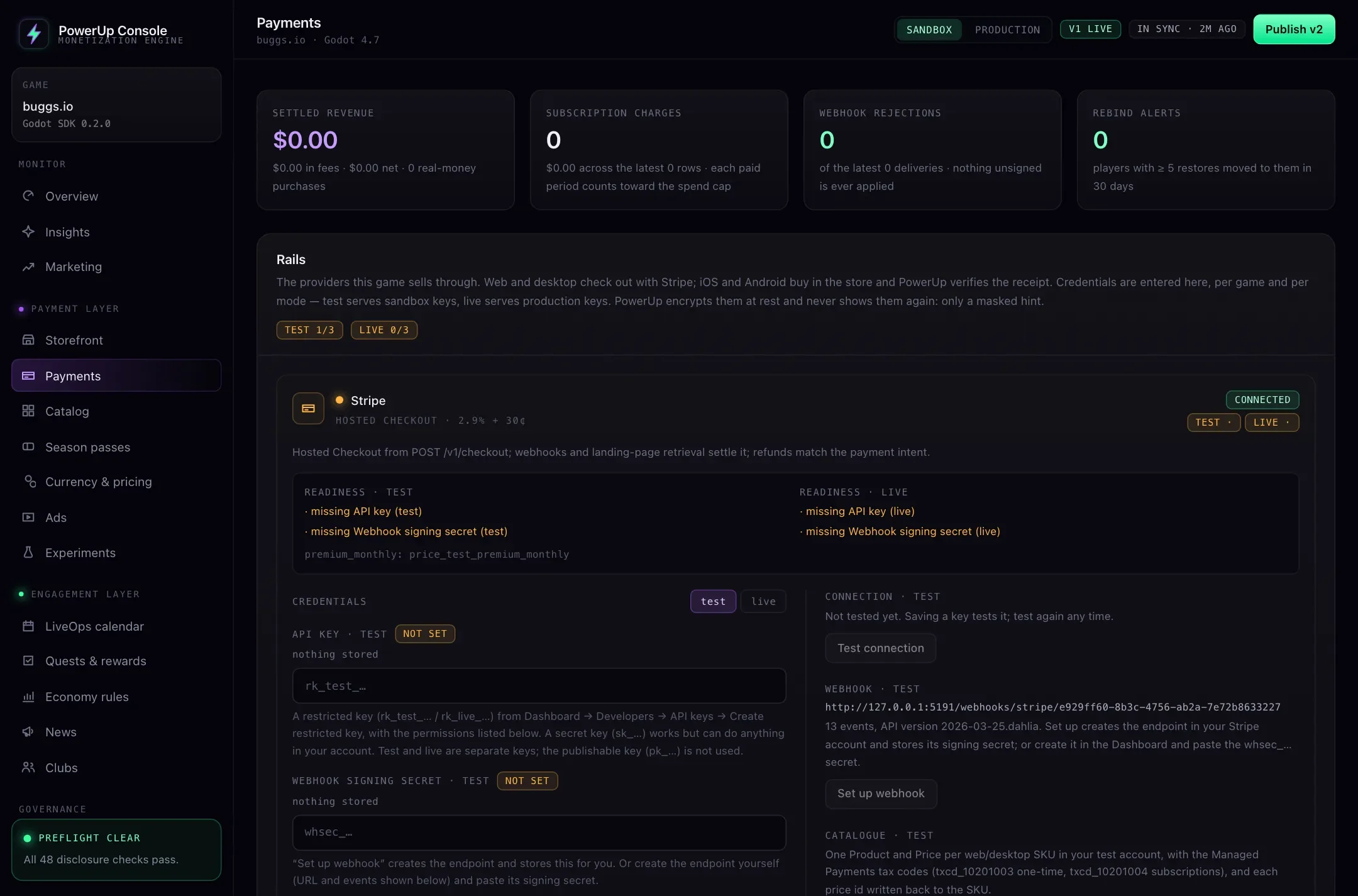
sandbox_ignored. - The console's Payments page tests your Stripe key's connection and shows what each checkout still needs in test and live.
For a guided build of each flow, see Stripe checkout in Godot and receipt validation.